Chrome extension for Tiptop Shop
Automate Your Tiptop Groceries Checkout
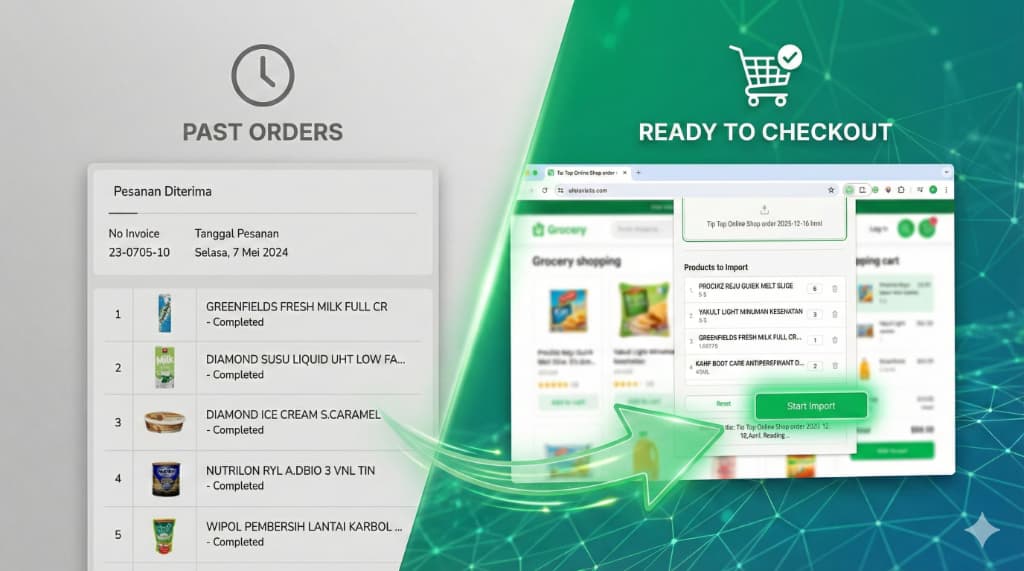
Upload your order file, pick a branch, and Better Tiptop takes care of the rest. Save time and never miss an item again.
Features
Key Features
Everything you need to import Tiptop Shop orders quickly, reliably, and safely.
Automated Product Import
Upload HTML or CSV and Better Tiptop parses items and quantities automatically.
Branch Auto-Selection
The extension detects and selects the right branch for your order.
Bulk Add to Cart
Push many products into the cart at once without repetitive clicks.
CAPTCHA Aware
Auto-pauses when a CAPTCHA appears so you can verify safely.
Real-time Progress
Live statuses for each item: success, out of stock, or needs attention.
Product Status Updates
Flag available, out-of-stock, or missing products for accurate orders.
How it works
How It Works
Screens from the Better Tiptop flow.
Upload Order File
Drag and drop HTML or CSV exports from Tiptop Shop. The extension validates format first.

Smart Branch Selection
The branch is auto-detected; you can override it before execution.

Review Items & Quantities
Check products, quantities, and pricing before pushing to cart.

Monitor Import Progress
Real-time status per item: success, out of stock, or needs follow-up.

FAQ
FAQ
Quick answers to common questions.
Which file formats are supported?
Better Tiptop supports HTML and CSV exports from Tiptop Shop.
Where do I get the order file?
Export your cart or order history from Tiptop Shop as HTML or CSV.
Is my data safe?
All processing happens locally in your browser. Nothing is sent to external servers.
What happens if a product is out of stock?
The item is flagged as out of stock so you can replace or skip it.
How do I report bugs or request features?
Open an issue on GitHub (https://github.com/apraditya/better-tiptop-ext/issues) or reach out via GitHub.
Is the extension free?
Yes. Better Tiptop is free to use. Contributions and feedback are welcome.
Ready to start
Ready to save time on Tiptop Shop?
Install Better Tiptop, automate imports, and focus on what matters.